
Single-photo preview
Use one shopper photo to generate a personal product preview in the browser.
AI photo try-on
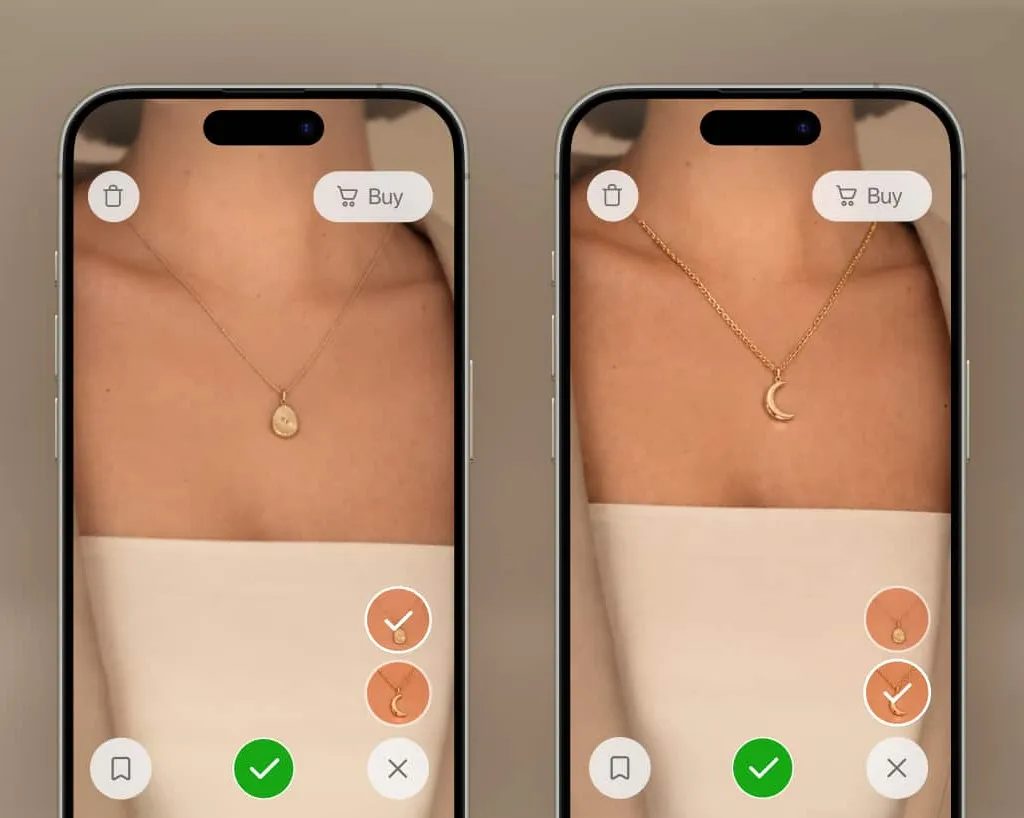
A piece can look beautiful on a model and still leave a customer wondering. Vizbl AI Photo Try-On brings the collection into a preview made from the shopper's own photograph.
Capabilities
Use one shopper photo to generate a personal product preview in the browser.
Show dresses, tops, bottoms and shoes using the appropriate category setup.
Preview rings, earrings, necklaces, bracelets and watches on the relevant body area.
Give frames, sunglasses, hats and caps the context of the shopper's own image.
Extend personal previews to accessories that complete a collection.
Let shoppers compare configured metals, gemstones, frame colors and finishes.
Build the catalog from suitable JPEG or PNG product images without a separate 3D modeling project.
Connect each try-on button to the correct product image, name and destination.
Start with suitable product photography, names and product URLs. Vizbl prepares the category and variant setup, then a product-page button opens the photo try-on. No conventional 3D model is required.
Plan your implementationDefine the product group and the shopper interaction you want to test.
Provide suitable JPEG or PNG product images, product names and product URLs.
Coordinate domain registration and add the official Vizbl integration to the storefront.
Check image quality, category behavior and clear shopper guidance before launch.
Common questions
They open the product-page try-on, upload a still photo and receive an AI-generated preview. The experience runs in the browser.
The preview helps shoppers consider appearance and placement. Use verified size charts, measurements and product-specific advice for physical fit.
Product imagery, the shopper photo and category setup all matter. AI-generated results can contain visual inaccuracies, so review representative products before launch.
No. Start with suitable product images, names and product URLs. Register the storefront domain and add the Vizbl script and product-specific buttons.
Your collection. Your next step.
Bring representative product images and the category you want to launch. We will demonstrate the photo workflow and review storefront integration.
Let’s talk about your catalogA conversation with the Vizbl team.